
Dispatch
The dispatch dashboard
Visits done, on-time arrival, first-time fix, no-shows, and work still waiting to be invoiced.
Last updated
The dashboard#
Dispatch opens on a dashboard rather than the board: visits done, on-time arrival, first-time fix, no-shows, and finished work still waiting to be invoiced with the quoted dollars against it. The board is one click away in the tab bar.
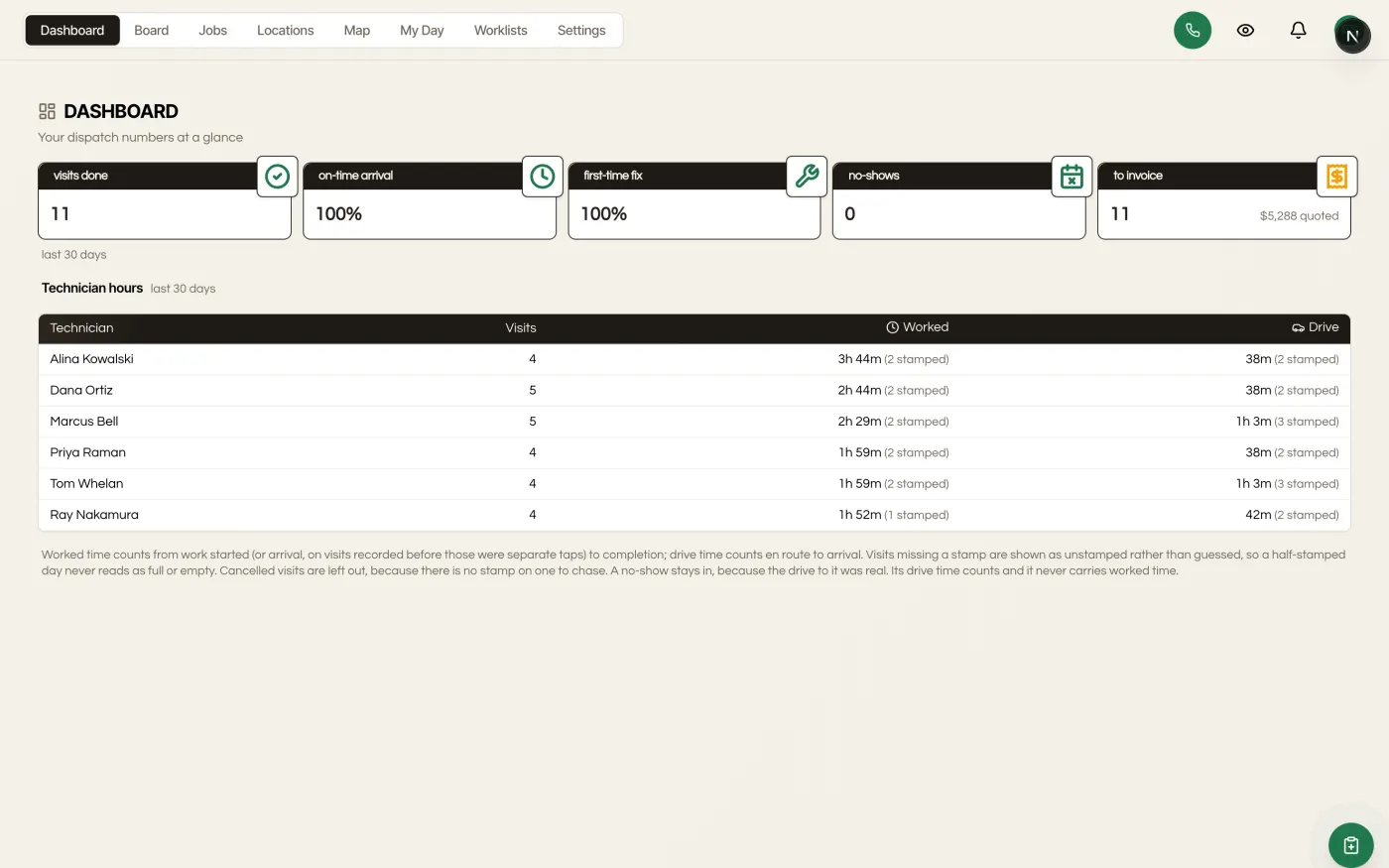
Underneath, a technician hours table shows visits, worked time and drive time per person. Visits missing a time stamp are disclosed as unstamped rather than guessed at, so a half-stamped day never reads as full or empty. Cancelled visits are left out. A no-show stays in, because the drive to it was real.
How to read the unbilled figure#
The walk that finds finished work with no invoice against it is bounded, so it stays fast on a busy account. When it runs out of room it does not silently call the rest billed or unbilled. Those jobs are reported as unread, which is a third answer and a deliberate one: a dollar figure invented out of work the query never reached would cost the tile the credibility it exists for. Treat unbilled as a floor, and the unread count as the part still to check.
Where these numbers do and do not appear#
Every number on this dashboard is aggregated from stamps the module already records. Nothing here writes, so there is no separate reporting job to run or backfill.
They live here and nowhere else. Dispatch does not add a view to the CRM's Reporting area, so an agency-wide or cross-client report still comes from Reporting, and the dispatch numbers are read where dispatch is run. Exporting them means reading them off this dashboard, not pulling a dispatch tab out of the CRM's reports.