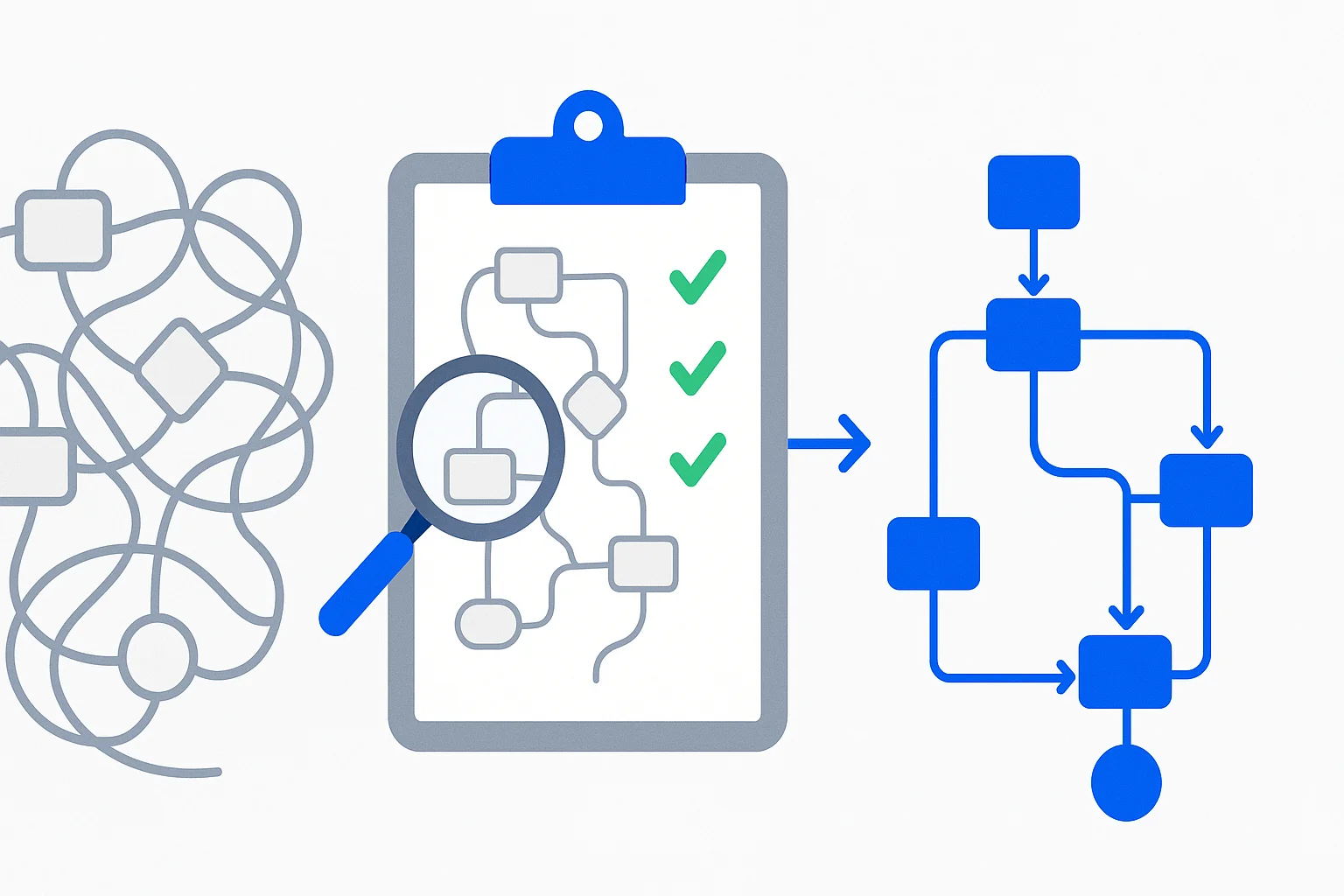
Most GoHighLevel migrations fail before they start. Not because the destination CRM is missing features, but because nobody can explain what the GHL account actually does.
You built it over months. Dozens of workflows, funnels wired to pipelines, custom fields feeding automations that trigger other automations. It works. Clients are happy. Revenue is flowing.
But could you write it all down? Could you hand someone a document that says "here is everything this system does, why it does it, and how the pieces connect"?
That's the real migration blocker. Not the technology. The documentation.
The migration problem nobody talks about
I've talked to agency owners who want to leave GHL. The conversation always goes the same way.
"I want to own my CRM. I'm tired of the price increases. I'm tired of updates breaking things. I want out."
Great. What workflows do you have?
"A bunch. Lead capture, onboarding, follow-up sequences, review requests, appointment reminders..."
Can you list them all?
"Not off the top of my head."
Can you explain how they connect?
Silence.
This is the wall. You can't migrate what you can't describe. And most agencies have built systems so complex that the builder can't fully explain them anymore. Not because they're incompetent, but because they moved fast and never documented anything along the way.
Join the Seedly owners community.
Owners trade setups, share add-ons, and swap playbooks. See what people are building before you commit.
PatchyHub solves the hardest part
PatchyHub is a documentation tool built specifically for GoHighLevel accounts. It was created by Mike Pacitto, who has spent 5+ years deep in the HighLevel ecosystem building snapshots and training agencies.
Here's what it does.
-
Import your GHL snapshot or location export. Drop it into PatchyHub and within minutes you have a visual map of every workflow, funnel, custom field, and automation in your account, plus how they connect to each other.
-
Flag what's broken or undocumented. Missing connections, orphaned assets, workflows nobody can explain. PatchyHub finds the gaps before they become migration problems.
-
You verify and add context. Confirm what PatchyHub found, correct what it got wrong, and add the business logic that only you know. Every edit makes the documentation more accurate.
-
Generate usable output. Client-ready system summaries, release notes, team briefings. Documentation that actually describes your system instead of guessing at it.
The key insight is that PatchyHub doesn't make things up. It reads what you've built and organizes it. If something isn't documented, it tells you it's not documented. That honesty is what makes the output trustworthy enough to build a migration on.
The migration playbook
Once PatchyHub has documented your GHL sub-account, you have something most agencies never have. A complete, verified description of what your system does. That description becomes the blueprint for rebuilding it in Seedly CRM.
Here's the process I recommend.
Step 1, document with PatchyHub
Run every GHL sub-account you want to migrate through PatchyHub. For each one, you'll get.
- A visual map of all workflows and how they connect
- A list of every funnel, pipeline, custom field, and automation
- Flags for anything broken, orphaned, or undocumented
- Your verified notes on the business logic behind each piece
Export this documentation. This is your migration spec.
Step 2, set up Seedly CRM
If you haven't already, get the Seedly CRM source code deployed on your own infrastructure. The self-hosted setup takes about a day with the included setup guides.
For agencies running multiple client accounts, each GHL sub-account maps to a Seedly sub-account. Same isolation model, but you own the code.
Step 3, hand the documentation to Claude Code
This is where it gets interesting. Open Claude Code in your Seedly CRM project directory and paste the PatchyHub documentation. Tell it this.
"Here is the complete documentation of a GoHighLevel sub-account. Rebuild the equivalent setup in Seedly CRM. Create the workflows, pipelines, custom fields, and automations described in this document."
Claude Code can read the Seedly codebase, understand the workflow engine, and build the equivalent configuration. It knows what workflow nodes are available (80 node types), how pipelines work, how custom fields are structured, and how automations connect.
The PatchyHub documentation gives Claude Code the "what." The Seedly codebase gives it the "how."
Step 4, verify and adjust
Review what Claude Code built. Walk through each workflow and confirm it matches the documented behavior. Adjust anything that needs tweaking for Seedly's specific architecture.
This step is faster than you'd expect because you're not starting from a blank page. You're reviewing a pre-built system against verified documentation. It's proofreading, not writing.
Step 5, migrate the data
Contacts, deals, conversations, and notes move separately from configuration. Export from GHL via their API or CSV export, then import into Seedly. The data model maps cleanly. Contacts are contacts, deals are opportunities, pipelines are pipelines.
Custom fields you documented in PatchyHub already exist in the new system because Claude Code created them in Step 3.
Three ways to move
Why this works better than manual migration
The traditional approach to CRM migration is painful. Here is how the three routes actually compare.
Manual rebuild from memory
Hire a consultant
PatchyHub + Claude Code
You own itPatchyHub + Claude Code
You own it- Time
- 1-2 days per sub-account
- Risk
- Low (documented and verified)
- Result
- Complete, reproducible
The bottleneck was always documentation. PatchyHub removes that bottleneck. Claude Code removes the rebuild bottleneck. What's left is verification, which is the part that actually requires your expertise.
What about complex setups?
Some GHL accounts are straightforward. A lead capture funnel, a follow-up sequence, a pipeline. Those migrate in hours.
Others are dense. Dozens of workflows triggering each other, conditional logic branching based on custom field values, webhooks calling external services, membership areas gated by tags.
PatchyHub handles both. The visual map is especially valuable for complex setups because it shows you connections you forgot existed. "Oh right, that workflow fires a webhook that updates a field that triggers another workflow." Without that map, you'd miss the connection and wonder why leads stopped flowing three weeks after migration.
For the Claude Code side, complex setups just mean a longer prompt. Give it the full PatchyHub export and let it work through the system methodically. It's faster at translating documented logic into Seedly workflows than any human would be.
The real value is independence
The point of this migration isn't just moving from GHL to Seedly. It's moving from a system you rent to a system you own, with documentation you control.
After migration, your PatchyHub documentation doesn't become useless. It becomes the historical record of your old system. And because Seedly is source code you own, every change you make going forward is visible in git. You'll never have the "what changed and when" problem again.
No more surprise price increases. No more updates that break your workflows overnight. No more being one policy change away from losing your entire business system.
If you're evaluating the switch, start with PatchyHub. Document what you have. Once you can see your system clearly, the migration path becomes obvious.