Verified · Trustpilot
The codebase was well documented and AI Agent friendly and security has been taken as a foundational component, not an afterthought as in many "vibe coded" products.

Kerry Patrick
Seedly CRM owner, agency
Join the Seedly owners community →You are not buying alone. Seedly owners trade setups and share add-ons. Join the community →
A dispatch board, an installable technician app, live tracking, and field billing that run inside the Seedly CRM you already own. Buy it once, add every tech.

One payment. Full source. Every technician, every shop you run it for.
Don't take our word for it. Take theirs.
Every review 5 out of 5 on Trustpilot. These are Seedly owners on the code they were handed and whether I stood behind it. I build Seedly Dispatch the same way.
Read every review →The codebase was well documented and AI Agent friendly and security has been taken as a foundational component, not an afterthought as in many "vibe coded" products.
Seedly CRM owner, agency
The ability to customize to the specific needs and functionality we need is immeasurably valuable.

Seedly CRM owner, agency
The codebase made that far easier than it had any right to be: clear structure, sensible boundaries, and comments that explain why something works the way it does rather than restating the code.
Seedly CRM owner, builds on the source
You get the entire code base. So, you can just use Claude to add features or customize it any way you want.

Seedly CRM owner
Even if you do have some technical knowledge, what you're able to build on top of it and integrate with everything is just very impressive.

Seedly CRM owner, in-house dev team
Andrew (the developer) did a great job and has always provided support.

Seedly CRM owner
Own your tech! No longer held hostage to features and unwanted downtimes at the most inconvenient time.

Seedly CRM owner
The code is well documented and has plenty of help steps along the way that make setup and installation much simpler than they would otherwise be.

Seedly CRM owner, resells to clients
Andrew has been fair, and sometimes more than fair, in his interactions I've seen with prospects and customers (including me).

Seedly CRM owner
Absolutely recommend to anyone who wants to be able to create the build of their dreams without starting from scratch.

Seedly CRM owner
The reason I love Seedly is ownership, because you own the codebase instead of renting and watching the provider change things constantly.

Seedly CRM owner
A true masterpiece of software that has a completely different model. You buy it, you own it, you have full control of it.

Seedly CRM owner
Andrew has created a tool that grows with you and doesn't lock you into anything you don't want.

Seedly CRM owner
It's expertly packaged, which makes it easy to work and build with. I'm not too technical myself, so the ease of use for this is why I recommend it to even beginners.

Seedly CRM owner
Very well designed, completely worth the money.

Seedly CRM owner
Andrew knows his stuff and has built an amazing software. Not only a solution for any business, but built with the end user truly in mind.

Seedly CRM owner
Every review, 5 out of 5.
Read all reviews on Trustpilot →
What It Does
Technician rows run across a day or a week, with everything unscheduled sitting in a drawer beside them. Drag work onto a row to schedule it, drag it again to move it. The drawer stays where you put it rather than snapping shut every time you place a job. Double-book someone and the board refuses first and offers to book anyway, so overbooking is a decision you make rather than one that happens to you. On the day view, Optimize puts a technician's stops into a sensible driving order and waits for you to apply it.
Technician rows run across a day or a week, with everything unscheduled sitting in a drawer beside them. Drag work onto a row to schedule it, drag it again to move it. The drawer stays where you put it rather than snapping shut every time you place a job. Double-book someone and the board refuses first and offers to book anyway, so overbooking is a decision you make rather than one that happens to you. On the day view, Optimize puts a technician's stops into a sensible driving order and waits for you to apply it.
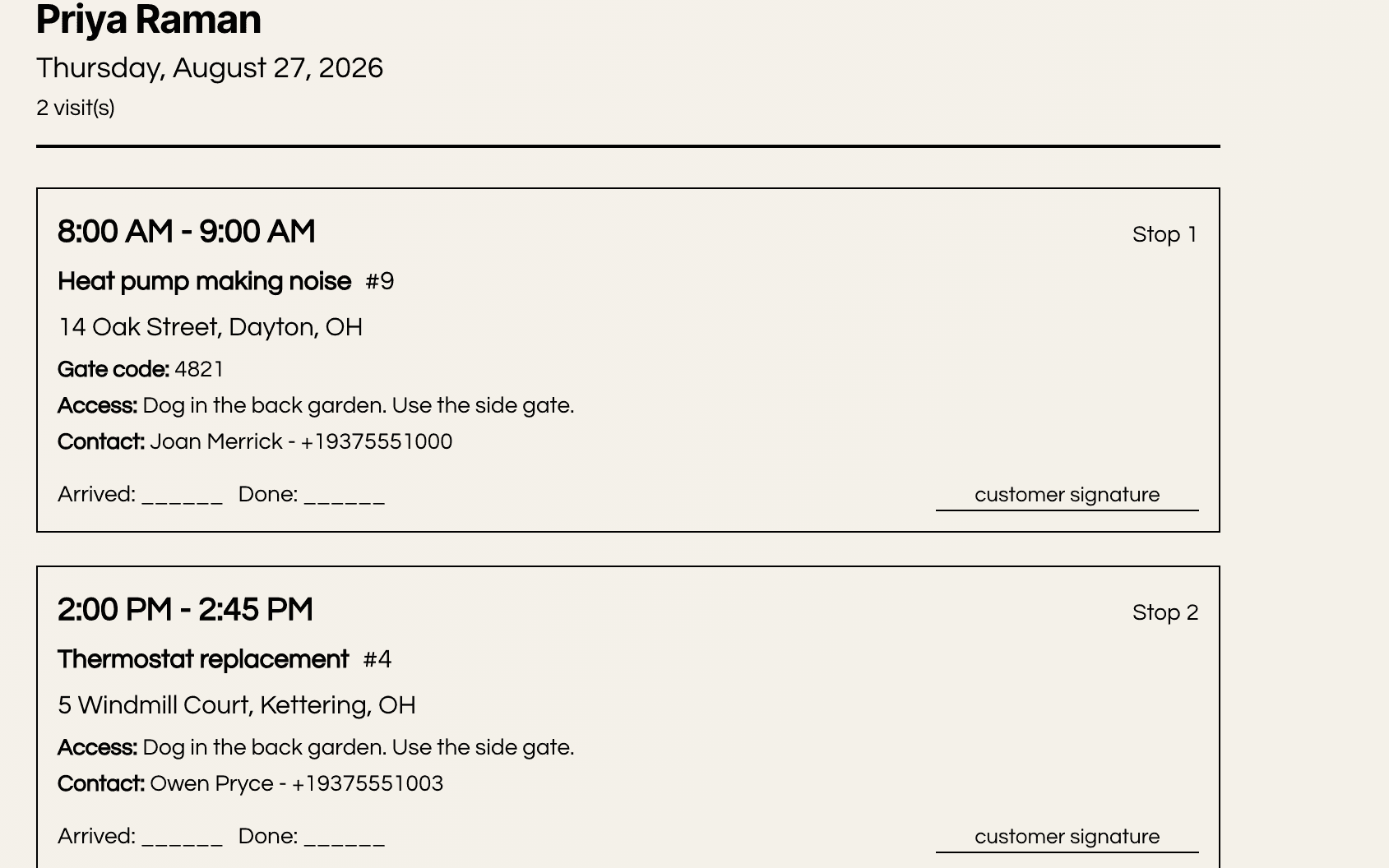
My Day is the technician's own screen, installable to the home screen like an app, with their visits in order and one tap to move each one along. It opens with a day briefing so the first thing they see is what the day holds. When a job cannot be finished, they say so with a reason instead of leaving it open, and the office sees why. The shell keeps working through the dead spots that come with basements, crawl spaces and rural routes. Photos taken out of coverage queue on the phone and go up when the signal returns, and a retry never sends the same one twice. Every tap answers straight away with what actually happened, so a status that never left the phone says so and asks for another tap, and one that went out just as the signal died says it may still land and to check the stop first. Nothing hangs and nothing is left ambiguous.
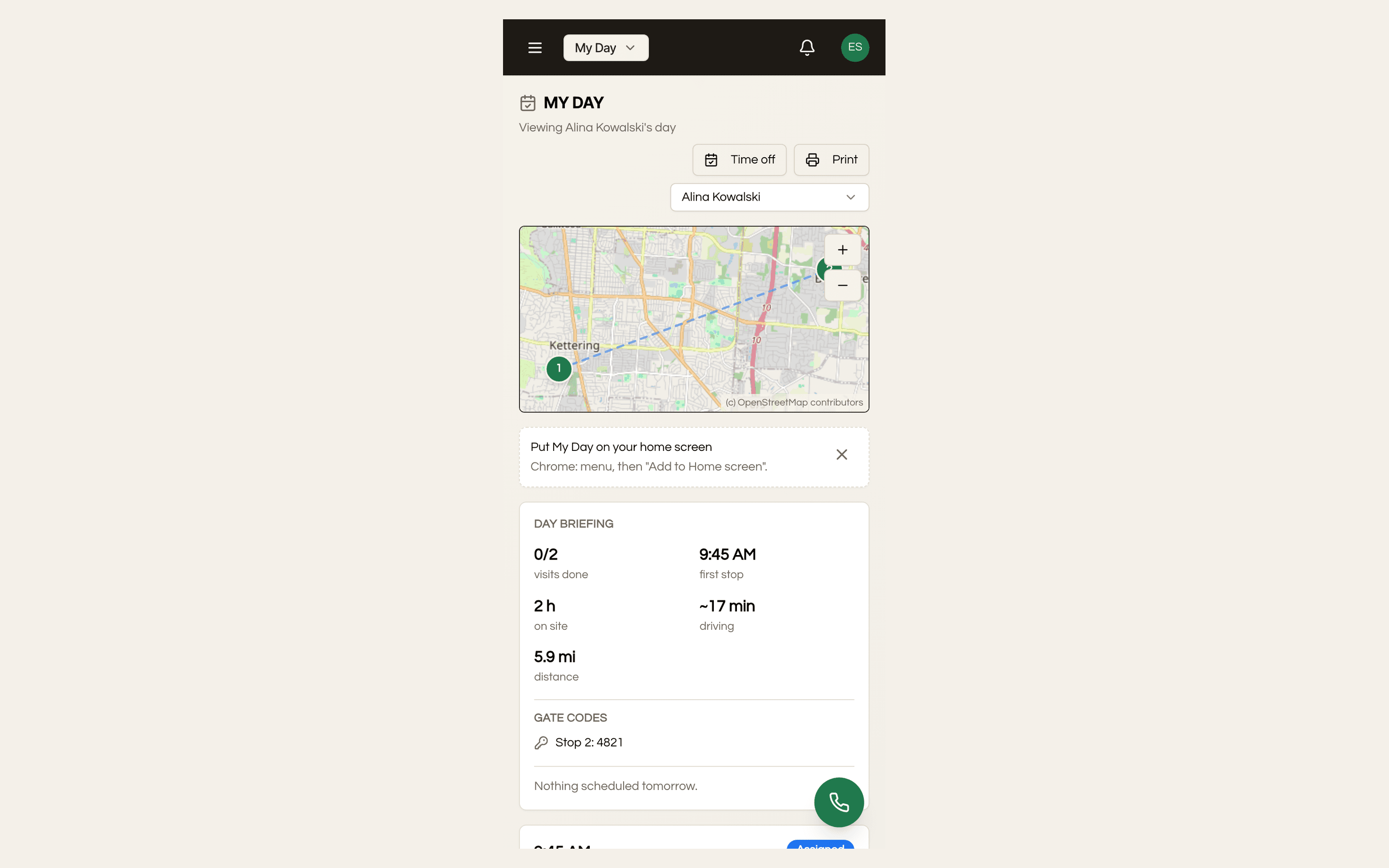
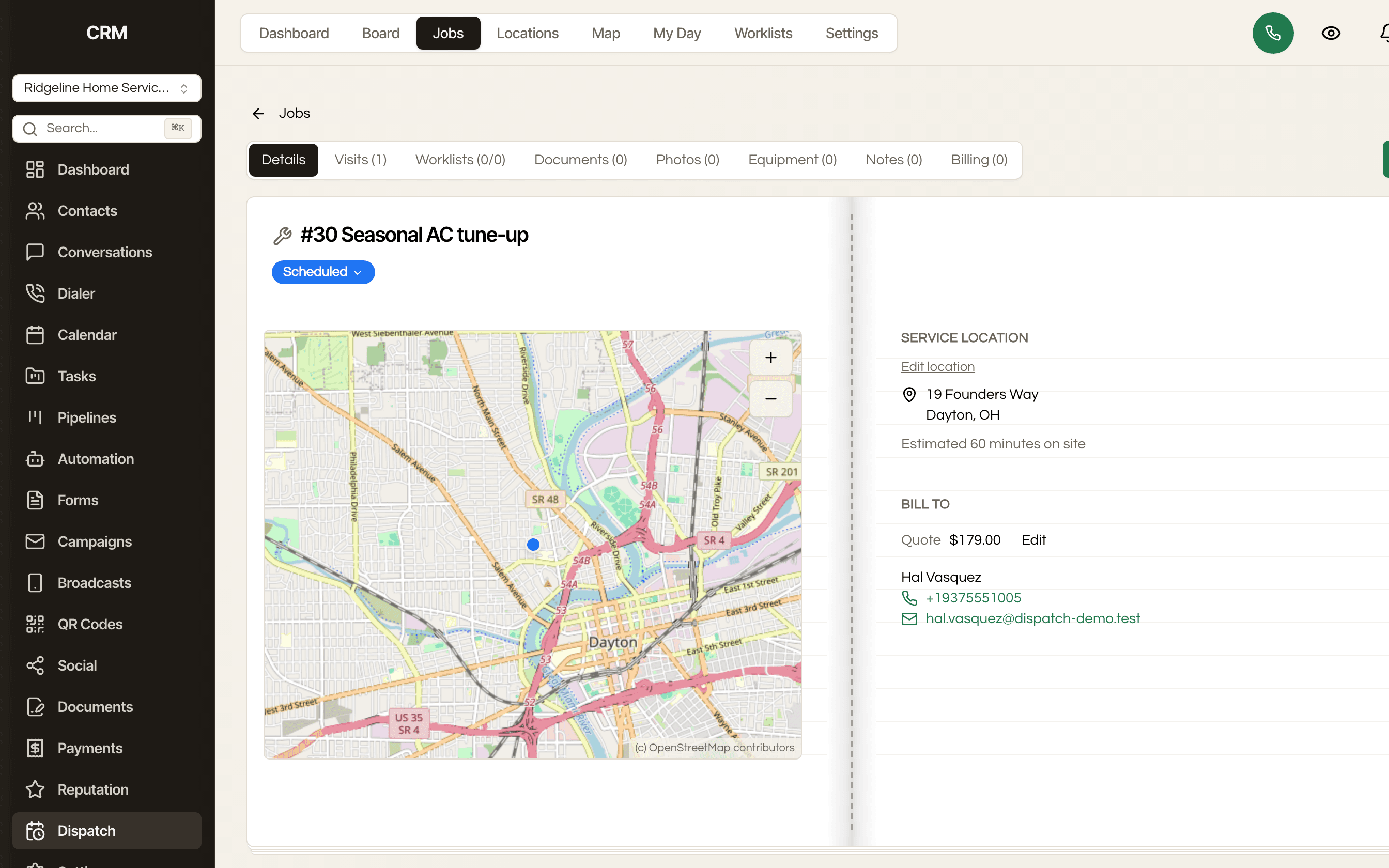
A service location is the address where work happens and it is kept separate from the bill-to, because in field service they are constantly different: a property manager, a landlord, a warranty company, an insurer. Job detail shows both side by side, with every visit, the scope, the equipment on site, the photos and the checklists attached to the job they belong to. A web form can capture the service address, its gate code, the access notes and a preferred visit window straight onto the job the workflow creates. One thing to know if you bill organisations, the payer on a job is a contact rather than a company record, so a carrier or a management office is whoever you deal with there.
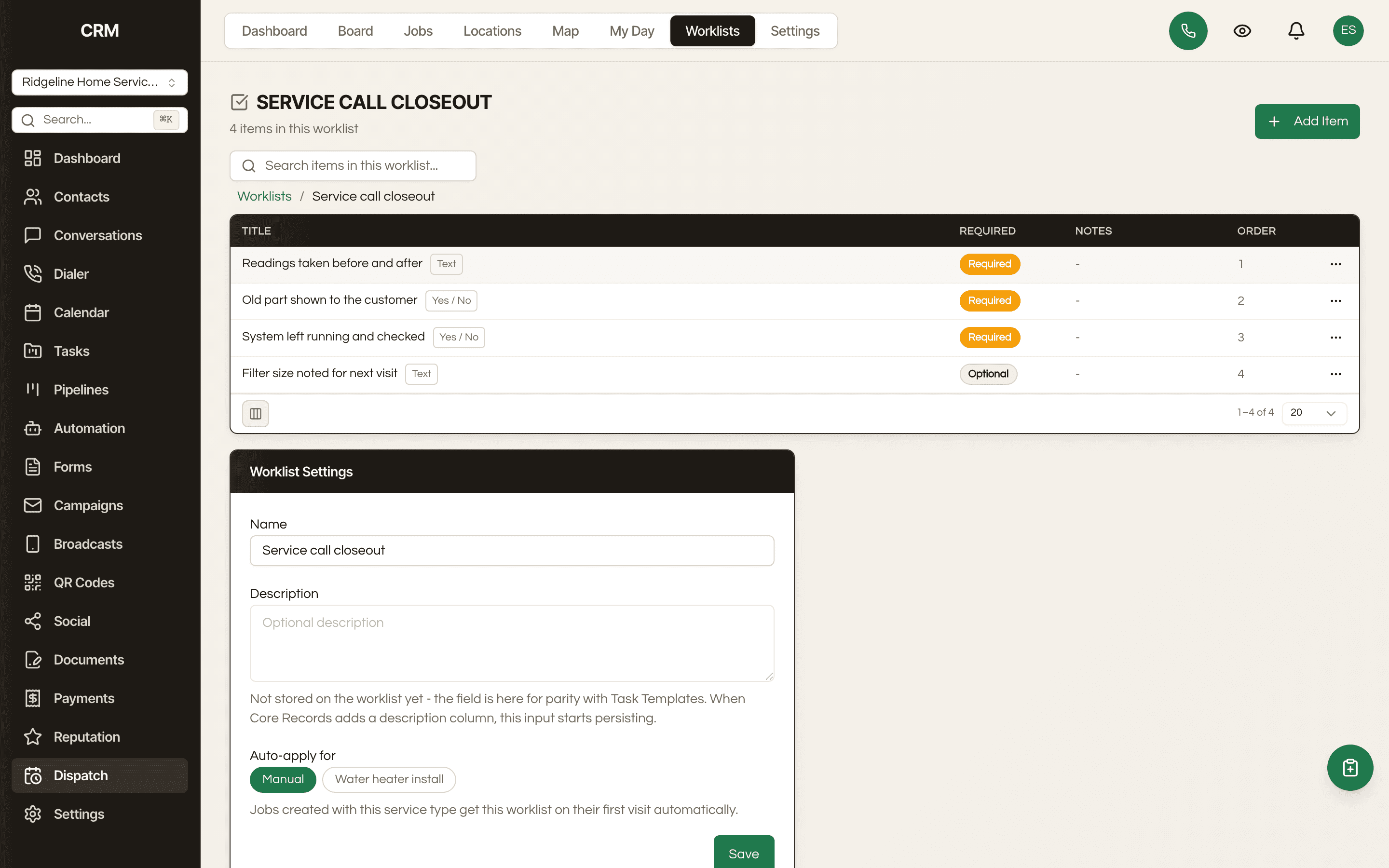
Attach a checklist to a job so the work gets done the same way by whoever shows up. Guided measuring walks a technician through capturing dimensions on site, so the numbers that drive a quote come off the actual job rather than a memory of it. It works by marking up a photo: take one, tap the two ends of what you measured, type the number off the tape, and the dimension is drawn onto the image before it lands on the job. Photos stay internal until you choose otherwise, and the ones you pick can go out as a gallery the customer opens without making an account.
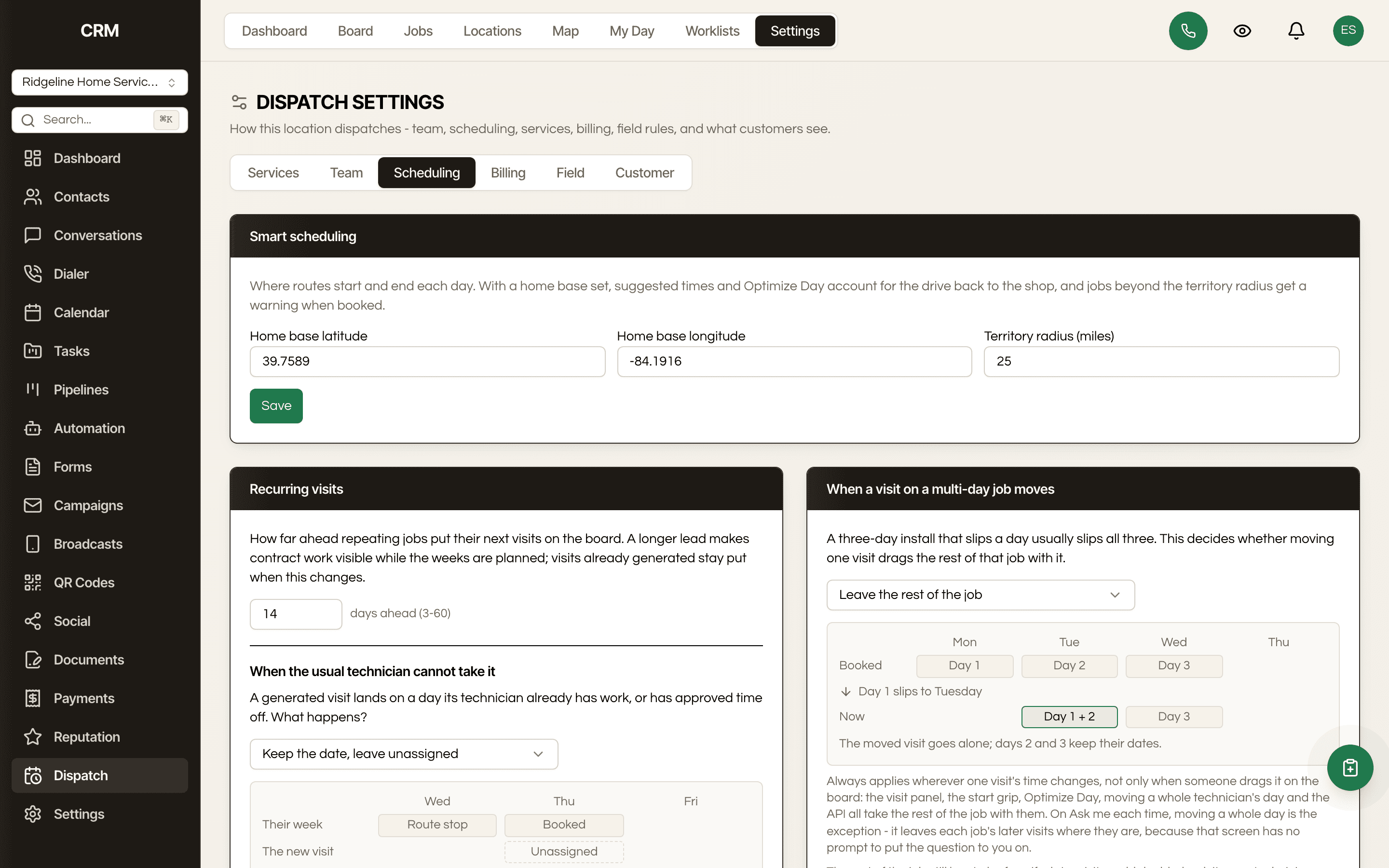
Maintenance routes, seasonal contracts and standing service agreements generate their visits on a schedule instead of being rebuilt by hand every cycle. The recurring series is one thing to pause or change, not a pile of copies to keep in step.
Preset estimates read the CRM's own estimate templates, so the on-site presenter shows the same pricing the office quotes. Customers sign in person and signing turns the estimate into an invoice on the spot. For a deposit, set that location's billing rhythm to a multi-part packet first and split the draft into the deposit and the balance, because the sheet the customer signs has no deposit box of its own. There is no second ledger to reconcile: Dispatch writes into the estimates and invoices your CRM already has, which is why the money side does not drift from the office.
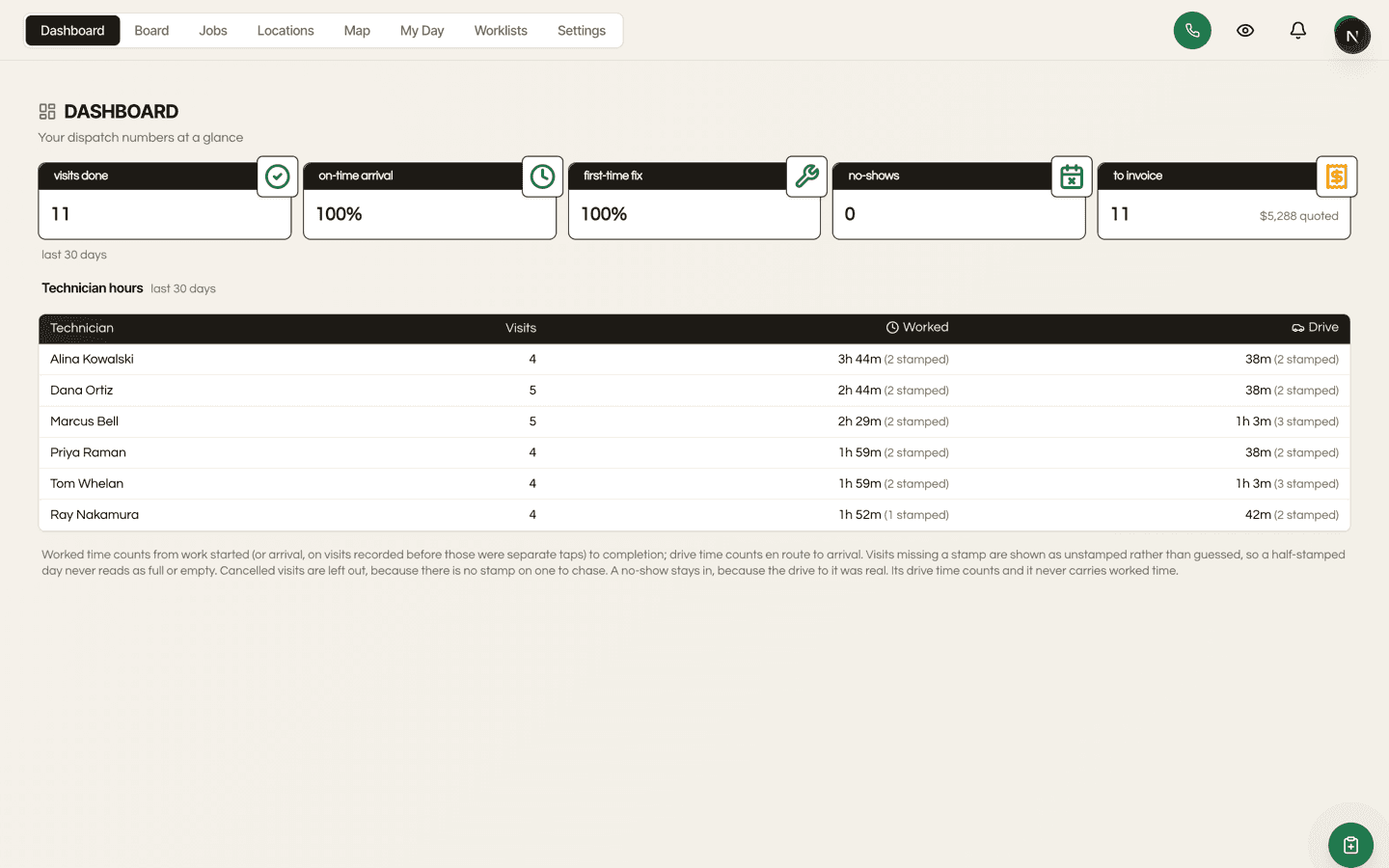
Dispatch opens on a dashboard, not the board. Visits done, on-time arrival, first-time fix, no-shows and finished work still waiting to be invoiced, with the quoted dollars sitting against that last one. Underneath, a technician hours table that discloses unstamped visits rather than quietly guessing at them. These are the numbers a field-service owner is judged on, and they are on the first screen instead of behind a report builder.
A technician taps running late with an ETA, or nobody home, or couldn't finish with a reason. The office sees each one as it happens and the return trip lands back in the unscheduled drawer instead of being lost. Time off is requested from the field and approved in settings, and once it is approved the board refuses to book that technician that day. Happy paths are easy. The tools that fall apart do it here.
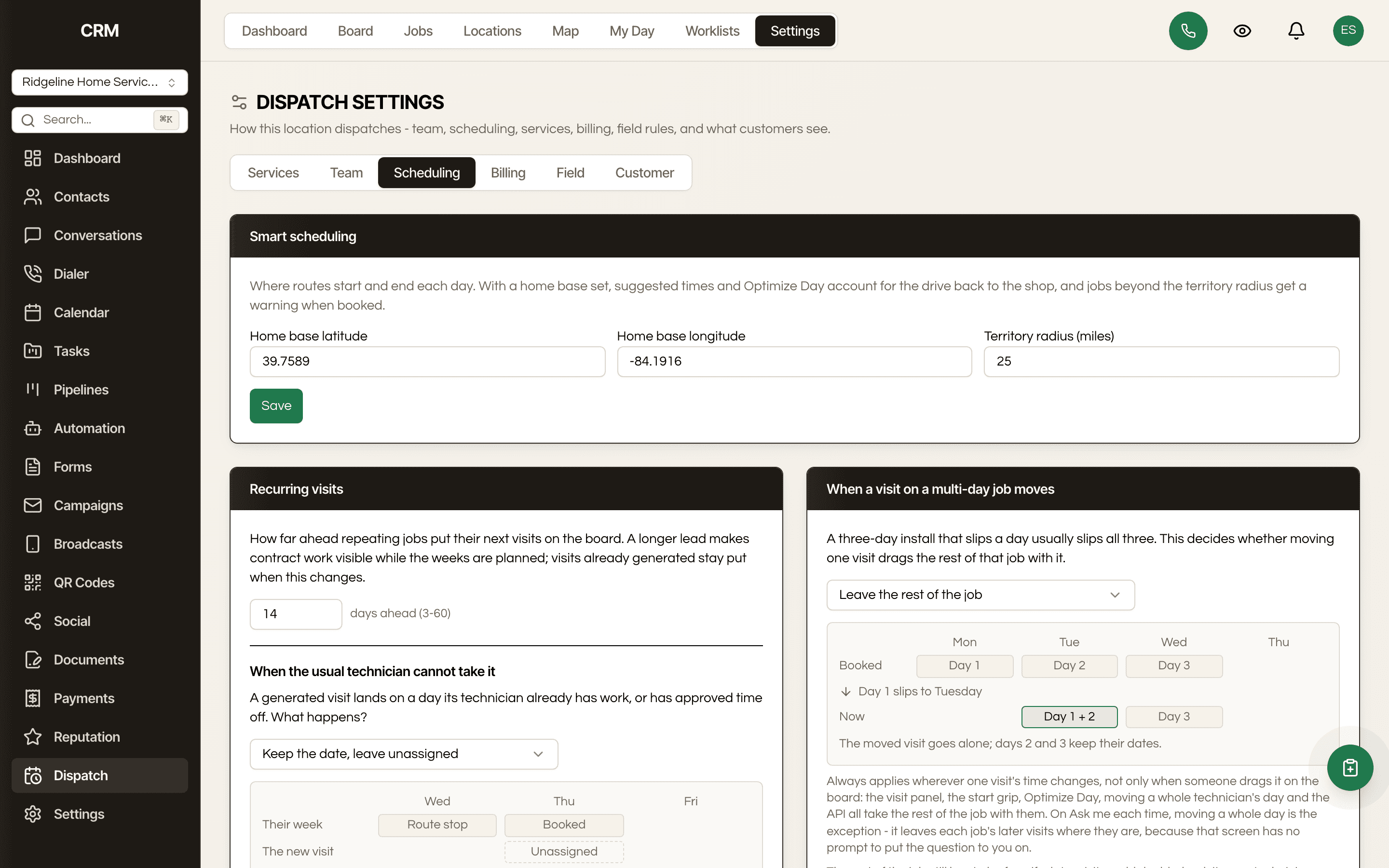
Weekly, every second week, every third week, and the nth weekday of the month, so a first-Monday commercial route and a bi-weekly maintenance visit are both ordinary schedules rather than something you rebuild by hand. Non-standard rhythms are where most field software quietly gives up and hands the job back to a spreadsheet.
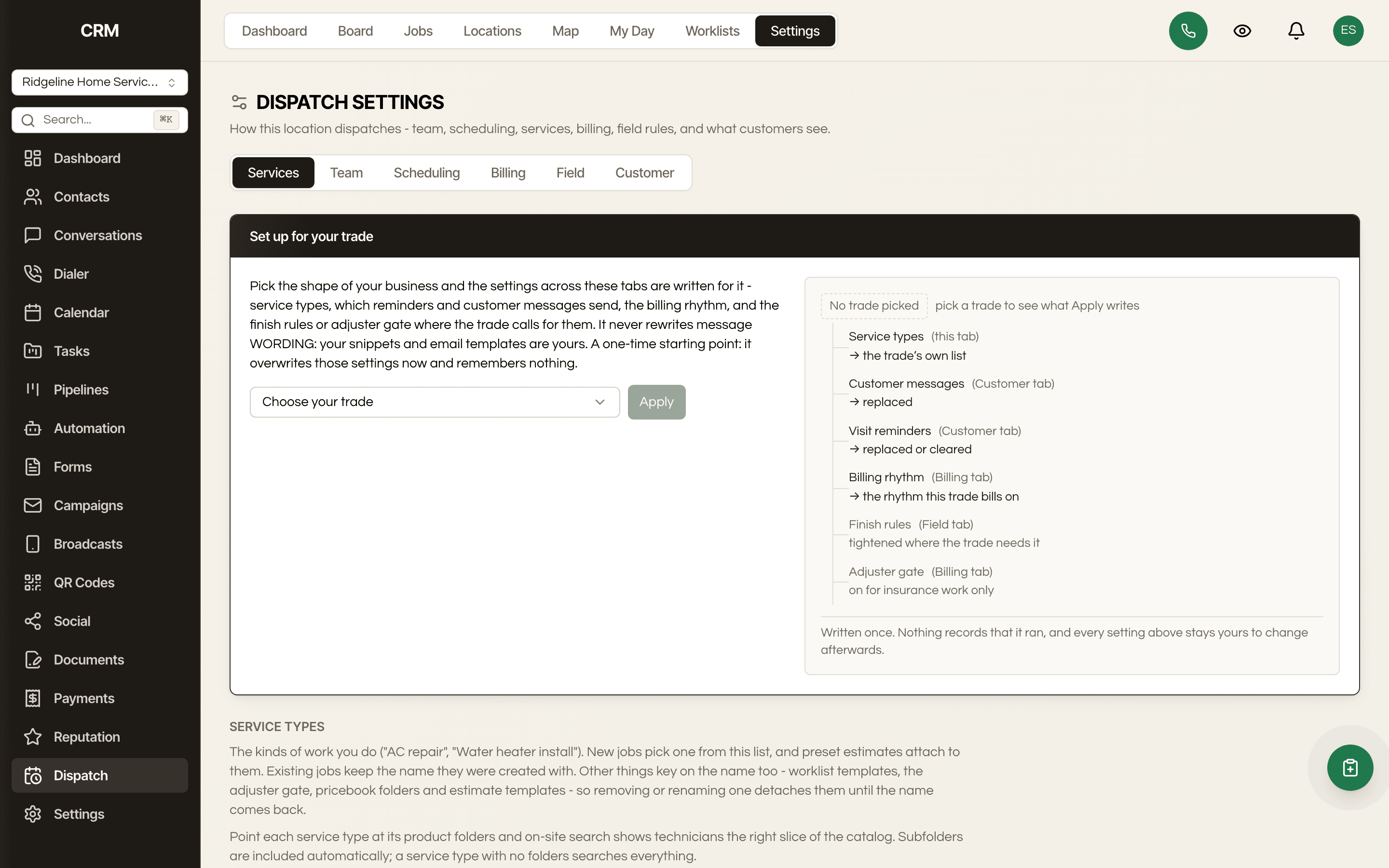
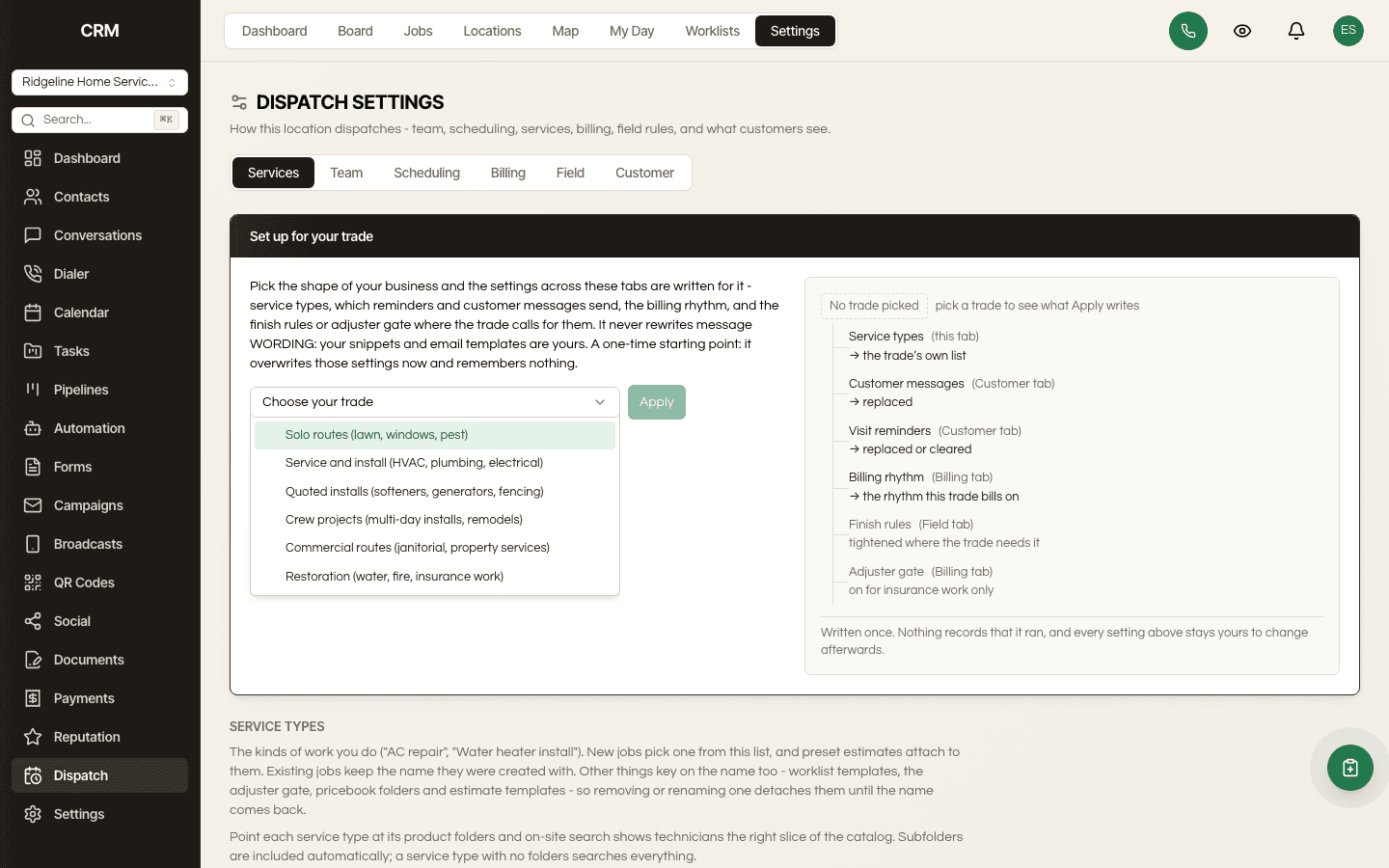
Pick your trade and the settings that shape that trade's day are written for you, service types, reminders, customer messages and the billing rhythm. Bring the book across with the CRM's own contact importer, then Dispatch turns the contacts that carry an address into service locations, a hundred to a click. It is a starting point with no memory, so it overwrites only what it names and everything stays yours to change afterwards. Implementation is the lowest-rated part of enterprise field software for a reason, and it should not be a quarter of your year.
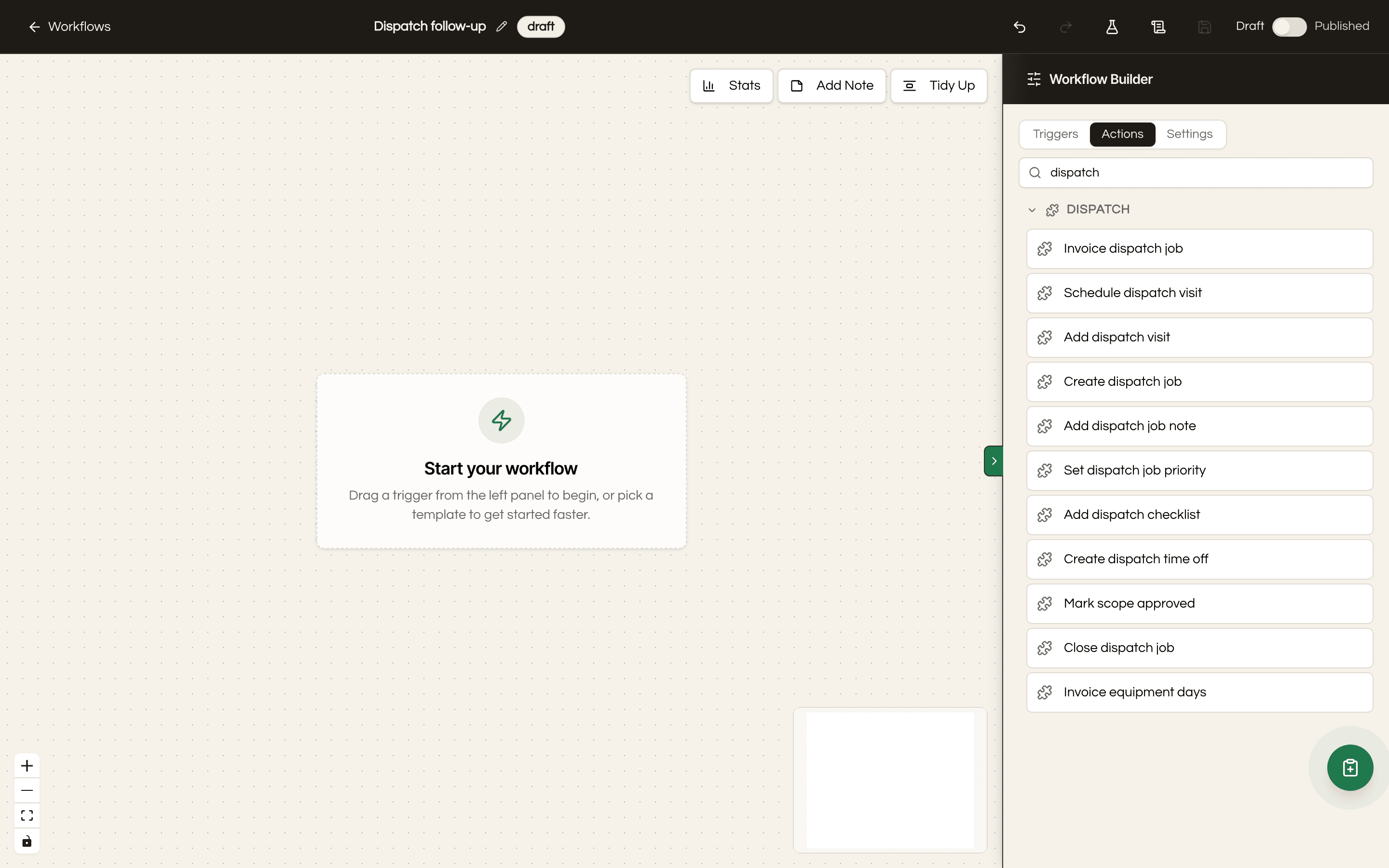
Dispatch contributes its own triggers into the CRM's workflow engine (job completed, technician on the way, nobody home) and workflows can create dispatch jobs in return. So the follow-up text, the review request, the internal alert and the invoice draft all run on the same automation engine as the rest of your CRM, with no connector in the middle.
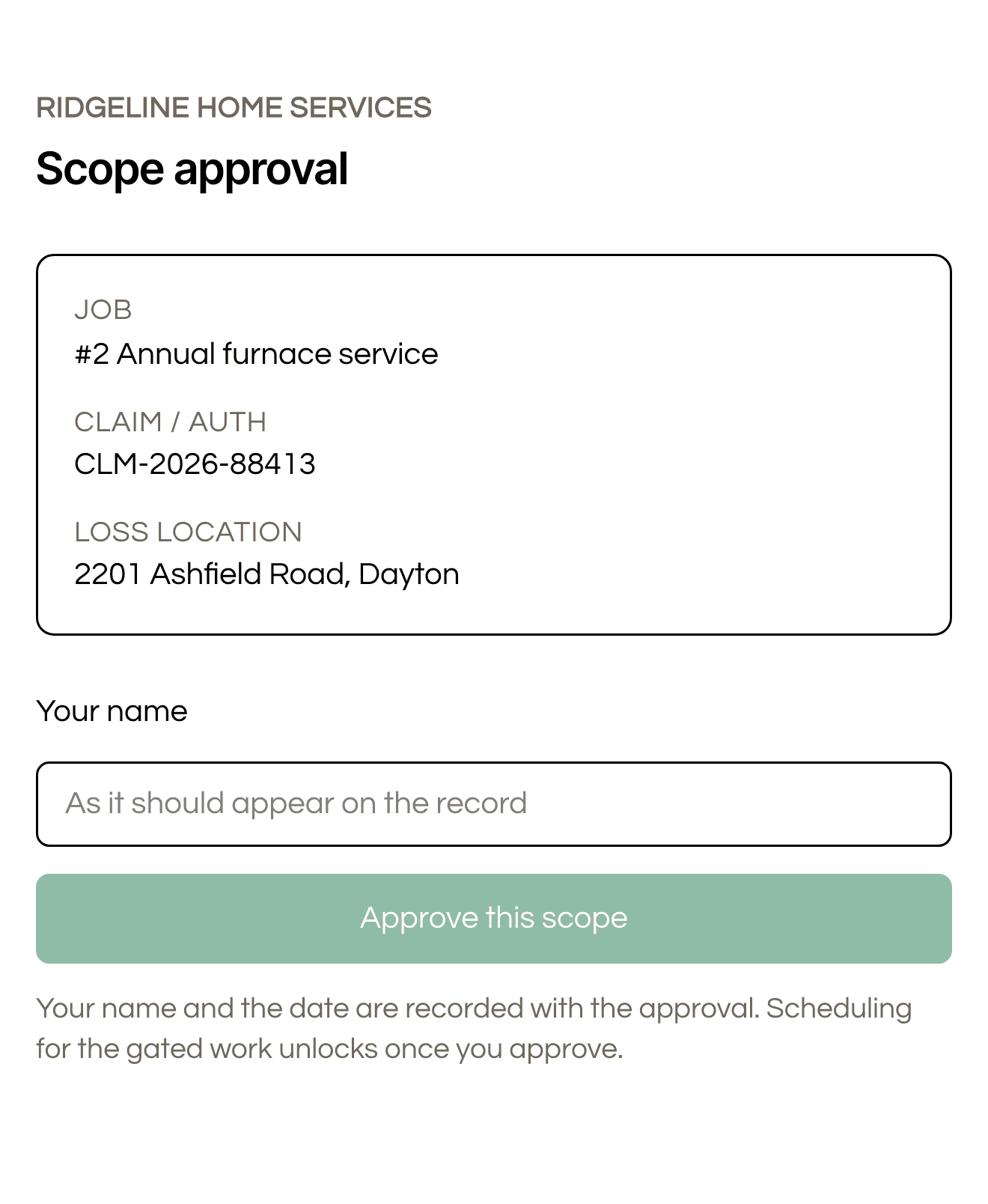
Restoration jobs stall waiting on an adjuster, so the adjuster gets their own link. You copy it off the job and send it however you already talk to that adjuster, because the module deliberately mails nothing on your behalf. It shows only what they need, the shop, the job, the claim reference, the loss address and the current status, with a name field and one Approve button. Their typed name and the date become the job's approval record, and the work you gated on approval unlocks the moment they tap it. The link can only ever approve, the first approval wins, and the office can revoke it at any time. Clearing an approval stays an office act.
A long restoration job bills in parts rather than one invoice at the end. Drying equipment is deployed with a serial and a daily rate, the row shows days out and what has been billed against what has not, and recording a partial pickup stops the counter for those units only. Work that could not be priced lands under held for review with a reason instead of quietly billing at zero.
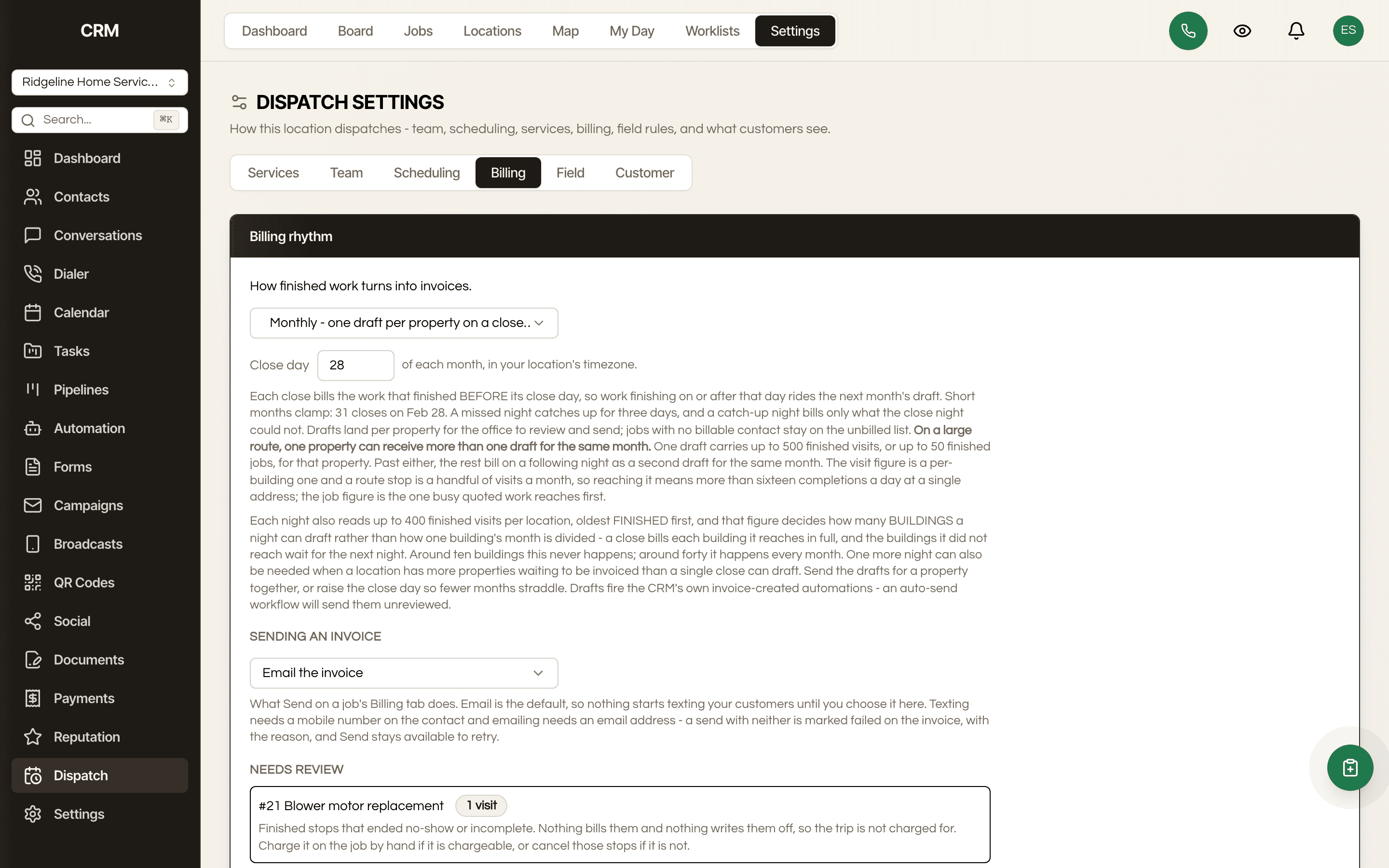
One property-management company can own forty addresses. The locations page carries active jobs and last serviced for every building so you can sort by what has been neglected, and each property holds its own site contact. Turn on notifications to the site contact first and the on-the-way message reaches the building's own number instead of the management office. Monthly consolidated billing closes the whole route at once rather than per visit.
Solo routes for lawn, windows and pest. Service and install for HVAC, plumbing and electrical. Quoted installs for softeners, generators and fencing. Crew projects for multi-day installs and remodels. Commercial routes for janitorial and property services. And restoration for water, fire and insurance work. Pick the one you are and the settings that shape that trade's day are written for you: service types, reminders, customer messages, the billing rhythm, and only where the trade calls for them, finish rules and the adjuster gate. Three ready-made dispatch workflows join your template gallery at the same time.
Some things are easier to just show you

How it compares
| Seedly Dispatch | ServiceTitan | Jobber | Housecall Pro | |
|---|---|---|---|---|
| What you pay | One payment | Per technician, monthly | Per user, monthly | Per user, monthly |
| Adding your next technician | Costs nothing | Raises the bill | Raises the bill or the plan | Raises the bill |
| Unlimited technicians | ✓ | — | — | — |
| Pricing published, not quote-only | ✓ | — | ✓ | ✓ |
| No feature-gated upgrade tiers | ✓ | — | — | — |
| Source code you own and can change | ✓ | — | — | — |
| Runs inside your CRM, not beside it | ✓ | — | — | — |
| Stops working if you stop paying | No | Yes | Yes | Yes |
Pricing models checked 2026-08-25 and they change often, so confirm on each vendor's own site before deciding. ServiceTitan publishes no prices at all and quotes per technician on request. Jobber's team plans are capped by user count. Housecall Pro prices per user and sells sales proposals, vehicle GPS and its price book as separate paid add-ons.
The math
The comparison row uses Jobber's published Grow plan at $249 a month for ten users, because it is the only one of the three that publishes a flat team price. Per-user plans and per-technician quotes run higher at this crew size, and none of the three leave you owning anything at the end of the five years.
How It Works
Dispatch is not a separate app and not a fork. It is a module that overlays onto a Seedly CRM you already run, using the extension points the CRM ships. Your contacts, your automations, your invoices and your login stay exactly where they are, and Dispatch adds jobs, visits and technicians alongside them.
A job is work at an address, with an estimated duration and its own visits. The address where the work happens stays separate from whoever is paying, so a property manager with forty units is one bill-to across forty locations rather than forty half-duplicated customers.
Unscheduled work waits in a drawer beside the technician rows. Drag it onto a tech to schedule it. The board covers a day or a week, and the same jobs list handles the longer-range planning that a board is the wrong shape for.
Technicians run their day from My Day on their phone, capture checklists, photos, measurements and signatures on site, and the office watches it land in real time. Location is recorded with the technician's own consent and only while they are driving to a stop, so the live map shows where each of them last reported from. The full breadcrumb trail is a separate setting you turn on rather than the default.
ServiceTitan, Jobber and Housecall Pro all price the same way: a monthly fee that scales with how many people you put in the field. Grow from four techs to eight and the software bill doubles for work it was already doing. The one number that should mean you are winning is the number that raises your costs.
Seedly Dispatch is a one-time purchase of source code you own, installed into a CRM you already bought outright. Adding the ninth technician costs nothing. Running it for a second client's shop costs nothing. There is no seat metering in the code to remove, because none was ever put there.
Look at what people actually say about the incumbents and the same three things come back. Implementation drags, sometimes for months and occasionally past a year, before anyone has dispatched a single job. The technician app is the office app shrunk, so the field spends its day in menus. And offline is the number one field complaint, because the work happens in basements, crawl spaces and places with one bar, which is exactly where a tool that needs a connection stops being a tool.
The other half is that dispatch stops being an island. Most shops run field software next to a CRM and spend their lives keeping the two in sync, or paying a connector to do it badly. Here the job, the contact, the estimate, the invoice and the automation are the same system, so a completed job can fire the review request and draft the invoice without a single integration in the middle.
And because it is your code, the parts that do not fit your trade are editable. A shop that needs a different finish rule, an extra field on a job, or a report nobody else wants can have it. That is the one thing a subscription can never offer, no matter how much you pay it.
You own the dispatch software. Add every technician, run every shop, change how it works.
The Rest Of The Garden
Every module ships in the same source code you own. Slide through the rest of the garden.
FAQ
Yes. Dispatch is an add-on module, not a standalone product. It installs into a Seedly CRM you already own and uses that CRM's contacts, permissions, automations, estimates and invoices. If you do not own the CRM, buy that first; Dispatch is worth nothing on its own.
5.7.1 or later on the 5.x line, and it has to be a 5.7.1 whose CHANGELOG entry is dated 2026-08-29 or later. That sounds fussy and there is a reason for it. 5.7.1 was cut three times under the same version number, the extension points this module binds into only landed in the last of them, and the version number alone cannot tell them apart. The installer checks before it writes anything, and on an older cut it refuses, names the missing extension points and leaves your CRM untouched. If you are behind, update the CRM first and the install is uneventful.
It is a one-time $599, and there is no subscription. If you own all three Seedly products, Seedly CRM, Seedly Sites and the Seedly Community Platform, Dispatch is free. Buy all three in one order and the receipt unlocks it as you tick the last box. If you already own all three from separate orders, that is still free but it is not automatic, so email me and I will set you up by hand.
Nothing. You bought the source, so there is no seat metering and no per-technician fee anywhere in the product. This is the single biggest difference between owning your dispatch software and renting it, and it gets bigger every time you hire.
It installs to the home screen and behaves like an app, and it keeps working through the dead spots that come with basements, crawl spaces and rural routes. It is not a native app distributed through the Apple or Google stores, which also means there is no app-store review sitting between you and a change you want to make.
No. Location is recorded only between the moment a technician taps on my way and the moment they tap arrived, it takes their own consent on their phone, and they can stop it whenever they like. The live map shows where each technician last reported from. The breadcrumb trail that draws a whole route is a separate setting and it is off until you switch it on, and while it is on those trails are kept for thirty days. The two arrival stamps on a visit are the part that does not expire, because a customer can still ask months later whether somebody was actually there and when. Nothing is recorded when a technician finishes a job, and the server refuses to file a location against a finish tap at all.
No, and this is a deliberate limit rather than a bug. A technician's working hours have to end after they start, so an overnight shift cannot be entered and route planning works one calendar day at a time. A night shop can run Dispatch by treating each night as its own day, but the optimizer will not plan across midnight.
The board shows a day or a week. Planning a month of contract work happens on the jobs list instead, which is the better shape for that job anyway. If you want a month view on the board, the source is yours and it is an honest afternoon of work.
The dispatcher's own computer. The board and the booking windows it suggests use whatever timezone that browser is set to, which is right whenever the person dispatching sits in the shop's timezone and drifts when they do not. Worth knowing if you dispatch for a shop in another timezone, or if the office moves around.
A visit carries a lead technician and one helper, and only the lead can finish the visit. A three-person job needs a second visit on the same job. Worth knowing before you build a crew workflow around it.
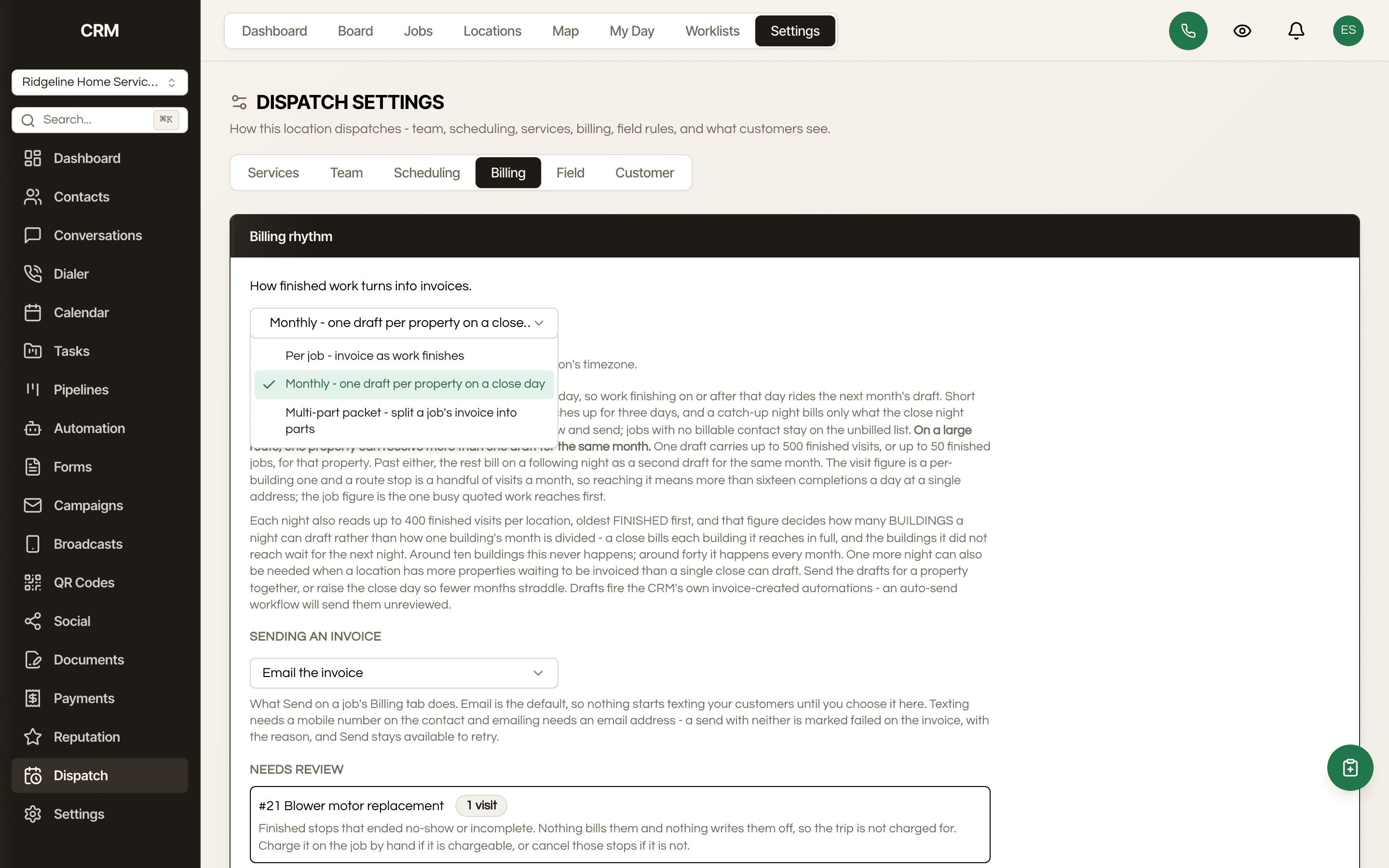
Yes. Monthly consolidated billing closes a route at once, which is how a nightly janitorial contract or a maintenance round is actually invoiced. Anything that could not be priced appears under held for review with a reason rather than billing at zero. The one limit: a single location runs one billing rhythm, so monthly consolidated and multi-part deposit billing cannot both be switched on for the same location. Different locations can run different rhythms.
Field payments and paid estimates run on the CRM's Stripe connection, and the customer texts run on its SMS connection, because Dispatch has no payment or messaging system of its own. It hands every message to the CRM, which is also what enforces do not disturb, STOP opt-outs and consent. Two defaults worth knowing before you judge it on day one. Every customer message is off until you turn it on, so a shop that skips that step sends nothing. And on-site billing is off until someone with invoice permissions turns it on, which is what makes the present-estimate button appear for a technician.
No, it feeds it. Dispatch writes into the estimates and invoices your CRM already has rather than keeping a second ledger, which is why the money side does not drift from the office. Estimates presented on site come from the same templates your office quotes from.
ServiceTitan is built for shops running twenty or more technicians and it prices per technician on a quote, with no public pricing at all. Its own feature index lists eight separate paid add-on suites on top of the base platform. Reviewers consistently raise three things: implementation measured in months, an app that is slow on the older phones the field actually carries, and limited offline capability for technicians in basements and rural areas. Seedly Dispatch is a one-time purchase with everything in the box, and you can read the price before you talk to anyone.
Jobber is the most usable of the three and it publishes its prices, which is more than ServiceTitan does. Its team plans are capped by user count, so growth moves you up a tier rather than costing nothing. The complaints that come up most are reporting and a lack of flexibility for non-standard schedules. Seedly handles every second week, every third week and the nth weekday of the month as ordinary schedules, and adding your ninth technician does not move you anywhere.
Housecall Pro is the closest fit to the same buyer and it does the core job well. Its most common complaint by a distance is add-on pricing: sales proposals, vehicle GPS and the price book are each sold separately on top of a per-user subscription. Dispatchers also report needing more than one window open to see available times and available technicians at once. Seedly puts availability and assignment in the same view, and there is no add-on tier because you bought the source.
The technician app keeps working. Offline is the single most common complaint about field software, because the work happens in basements, crawl spaces and on rural routes where a tool that needs a connection stops being a tool. The day is cached and the shell holds up through the dead spots.
An afternoon, not a quarter. Pick your trade and the settings that shape that trade's day are written for you, then you import your customers with the CRM's own contact importer and Dispatch turns the ones with an address into service locations, a hundred to a click. Fair warning on that last step, it reads your oldest thousand contacts and the window does not move, so a big existing book needs its newer customers added by hand or from the booking screen. Enterprise field software is routinely reported as taking months to implement, and some contractors have paid for a year before being fully onboarded. That is not the shape of this.
Yes. You own the source and there is no seat or technician metering, so you can run it for every home-service client in your book from the same install, white-labeled to each brand, the same way you run the rest of the CRM.
There is nothing to stop paying. You bought the source once and it runs on infrastructure you control, so there is no renewal that can hold your job history hostage and no export deadline if you change your mind about the vendor.

One payment, no subscription. Dispatch is an add-on and needs a Seedly CRM to install into.
Secure checkout via Stripe. Your license key is emailed instantly.